
Home / Knowledge base / Create your account
Knowledge base · Your account
How to create your Domohelp account
Your account is created when you first buy a service, Care Plan or WordPress hosting. You choose your password at checkout and you’re signed in as soon as you’ve paid.
- Your orders and receipts in one place
- Your Care Plan or hosting subscription, with its next payment date
- Your billing details and saved card, which you can update any time
- Cancelling a plan yourself, where your plan allows it
Choose what you need
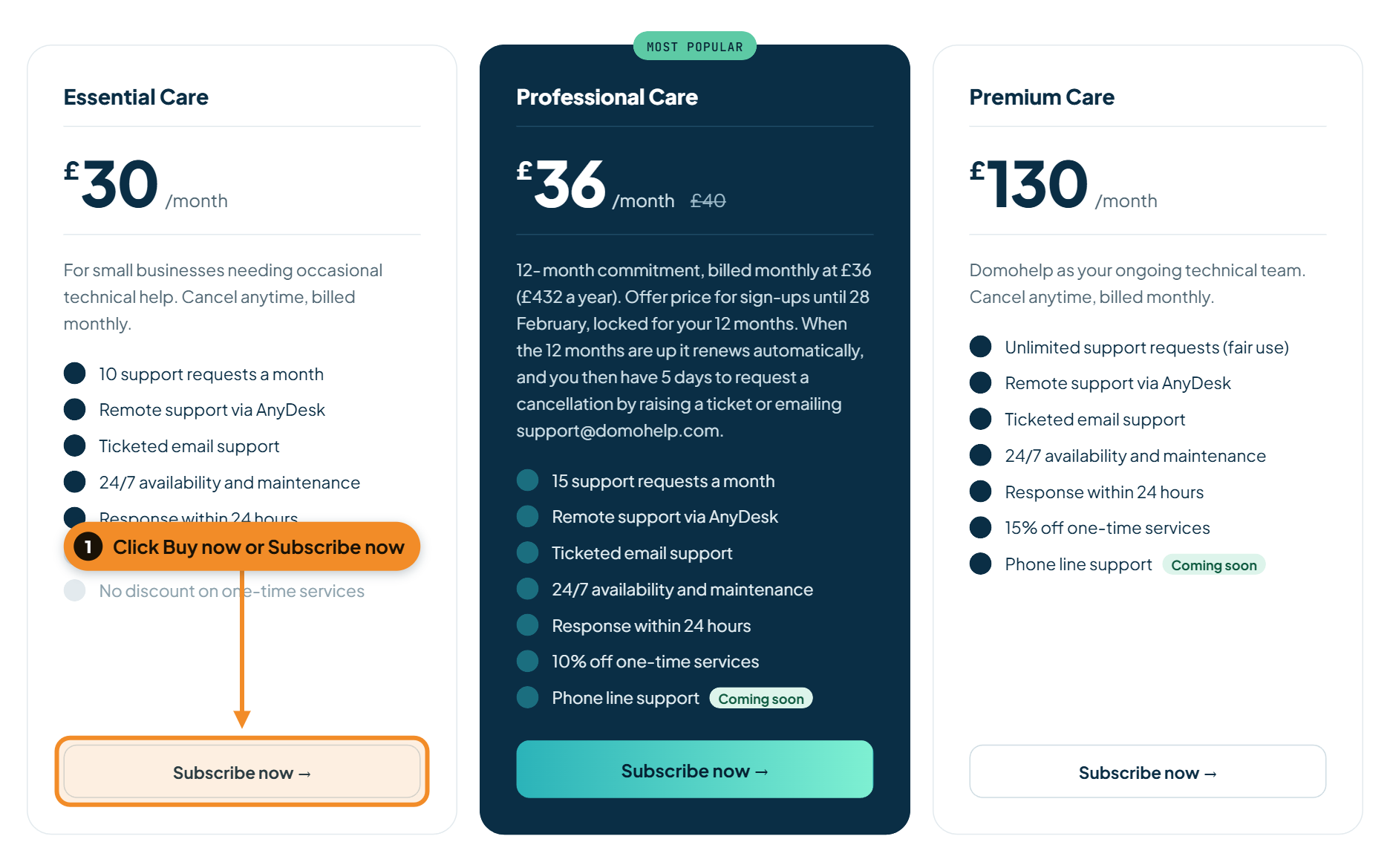
Go to our pricing page and click Buy now on a one-time service, or Subscribe now on a Care Plan or WordPress hosting. For services sold by quantity, such as devices or mailboxes, choose how many first.
Check your basket
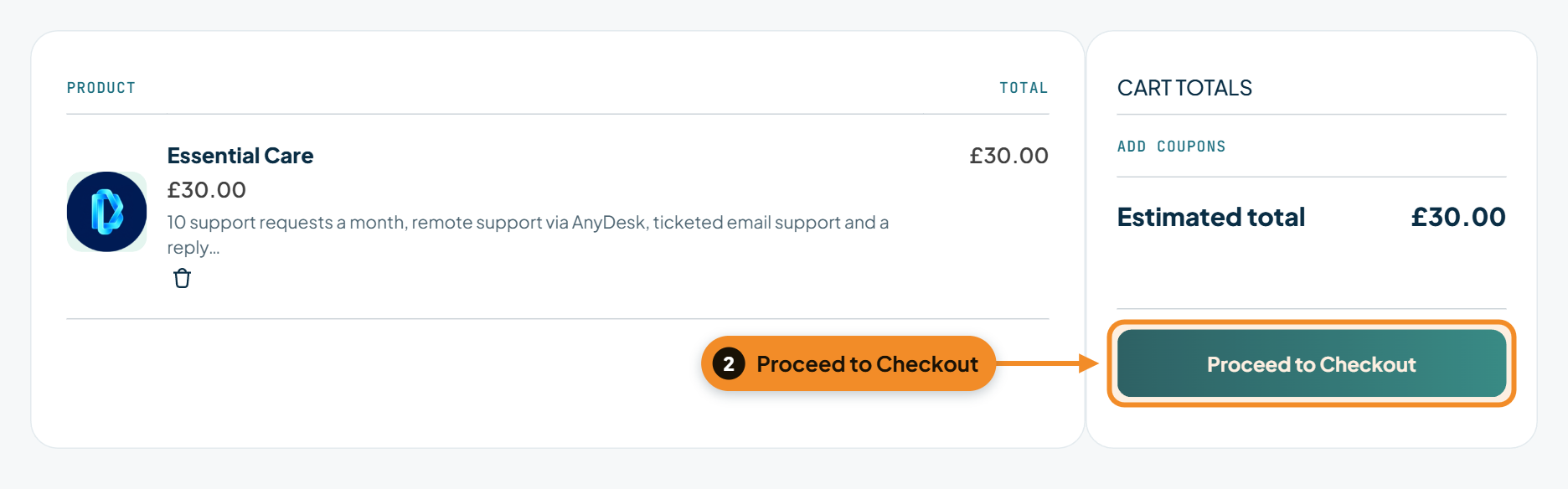
Your basket opens. Check what you’ve chosen, change quantities if you need to, then click Proceed to Checkout.
Enter your email and choose a password
Under Contact information, enter your email address. This becomes your username. Underneath it, Create a password for your account, something only you know. Then fill in your billing details.

Confirm and pay
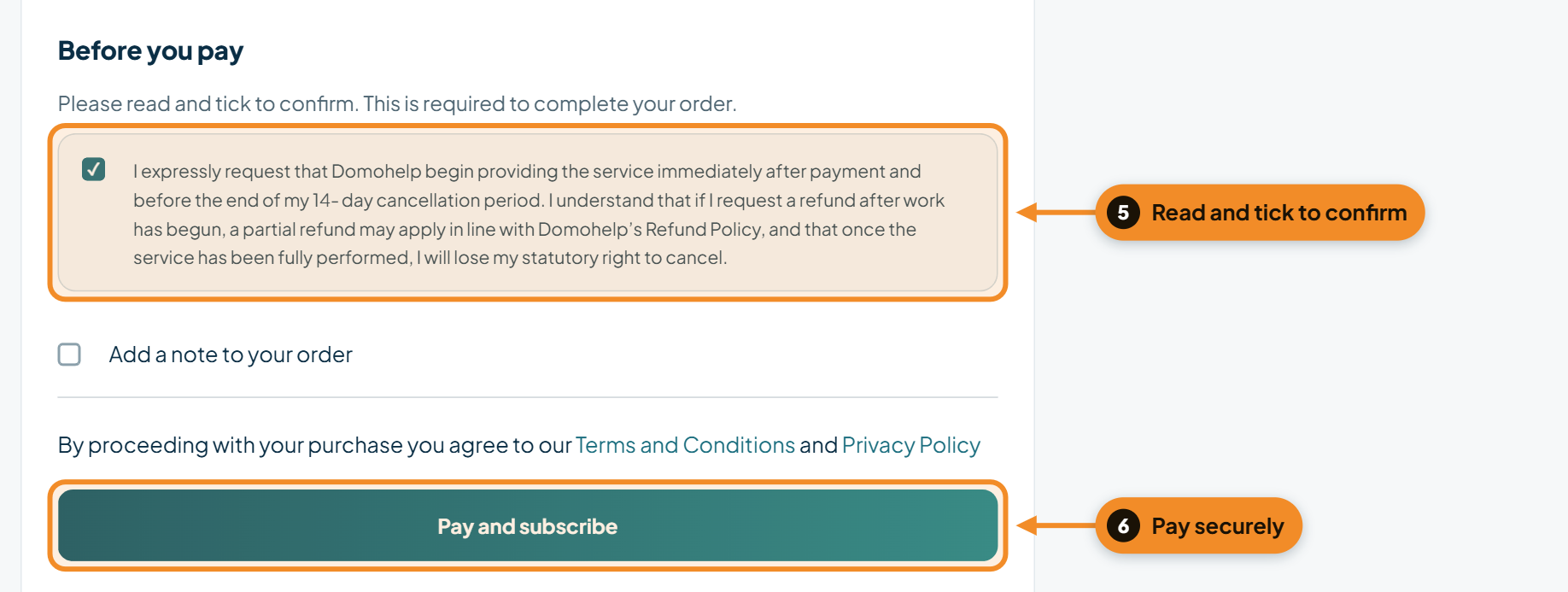
Under Before you pay, read the declaration and tick the box. The order button stays greyed out until you do. Then enter your card details and click Pay (or Pay and subscribe for plans). Payments are processed securely by Stripe.
You’re in
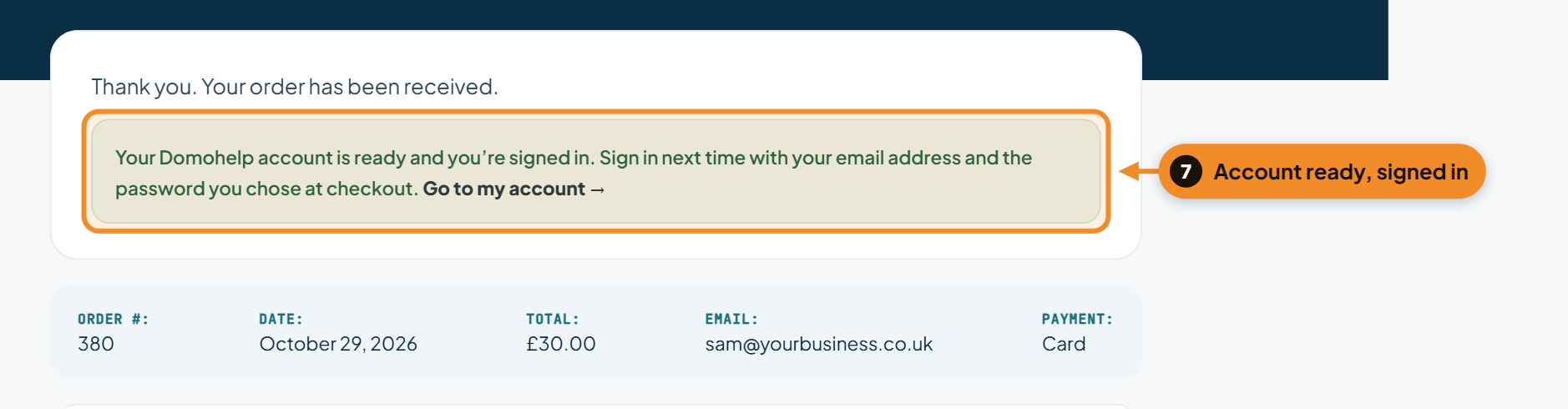
As soon as your payment goes through, your account is created and you’re signed in. The confirmation page shows your order, and Go to my account takes you straight to it.
Check your email
We’ll send you two emails: your order receipt, and one confirming your account is ready. It looks like this:
Your account is ready
Your username is your email address.
To sign in, click the account icon at the top of any page on our website and use the email you used at checkout and the password you chose.
In your account you can see your orders and receipts, manage your Care Plan or hosting subscription, and update your card and billing details.
Can’t see it? Check your spam or junk folder.
Signing in next time
Click the account icon at the top right of any page and sign in with your email address and password. Forgotten your password? Use Lost your password? on the sign-in page and we’ll email you a reset link.

Got a problem right now?
Tell us what's happening and we'll pick it up.