
Home / Knowledge base / Cancel your subscription
Knowledge base · Your account
How to cancel your subscription
Cancel a Care Plan or WordPress hosting from your account in a few clicks. It takes effect straight away, and no further payments are taken.
| Plan | When you can cancel from your account |
|---|---|
| Essential Care, Premium Care | Any time |
| WordPress hosting (monthly or yearly) | Any time. If you leave within the first 6 months, the website stays with us. Why? |
| Professional Care | Only in the 5 days after each 12-month renewal (see the note at the end) |
Open your account
On any page, click the account icon (the person symbol) at the top right, next to the basket. If you’re not signed in, sign in with the email address you used to buy and your password. Forgotten it? Use Lost your password? on the sign-in page.

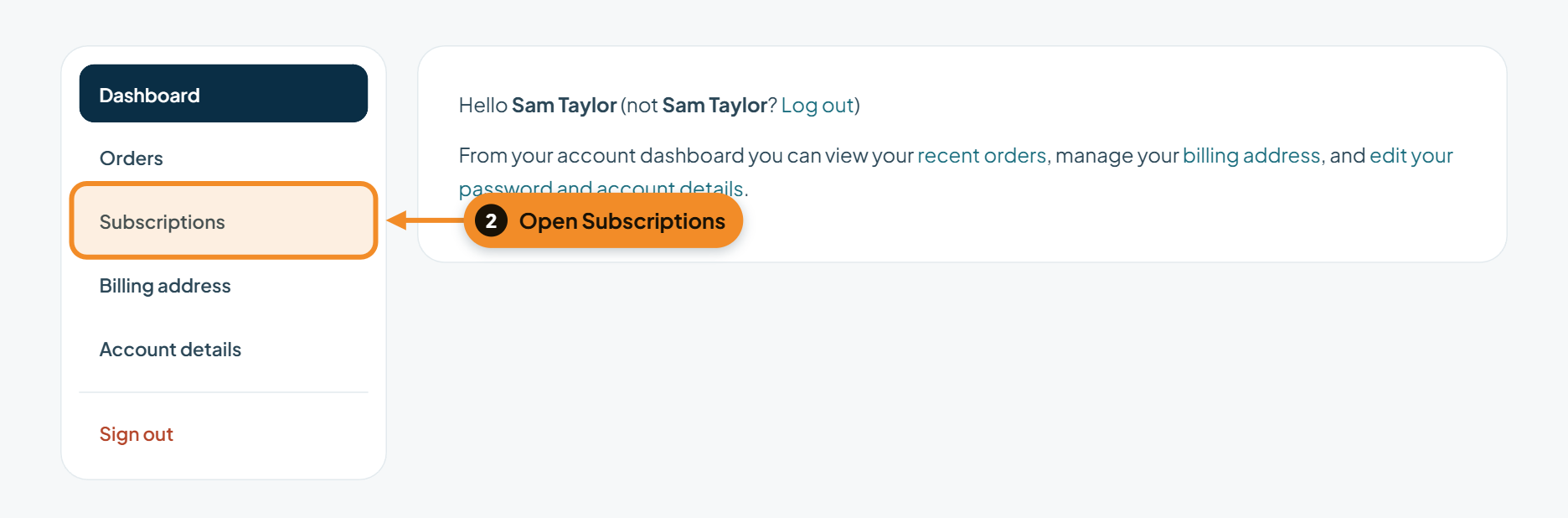
Go to Subscriptions
In the menu on the left of your account, click Subscriptions.
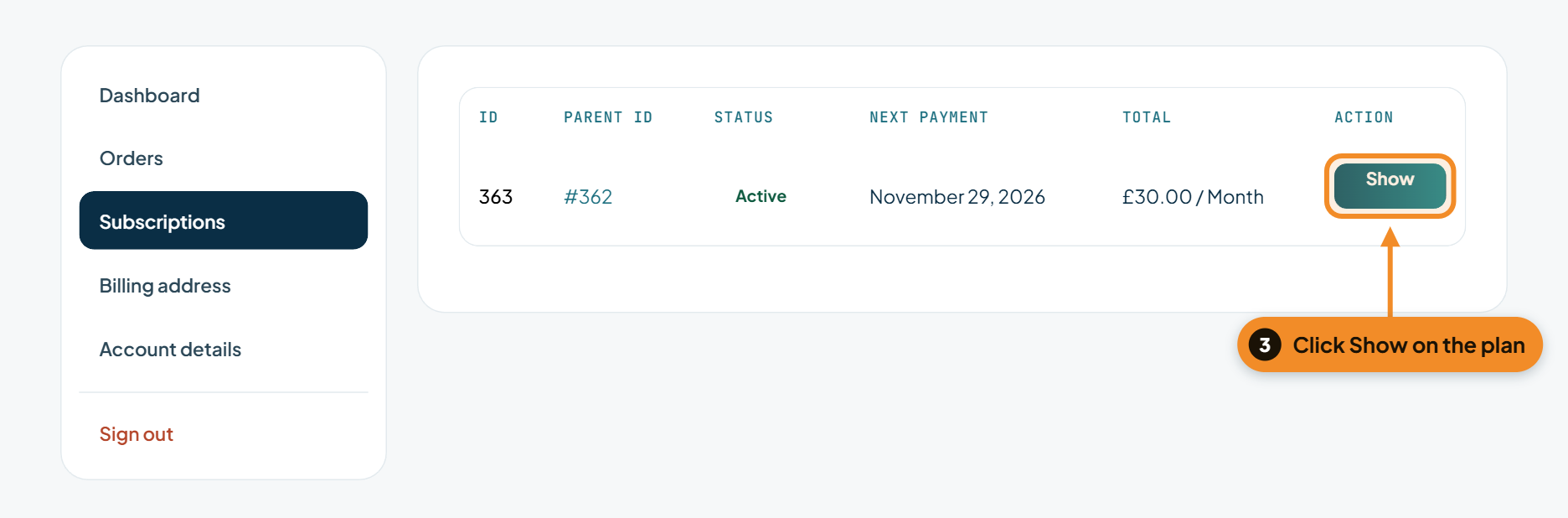
Open the plan you want to cancel
You’ll see each of your plans with its status, next payment date and price. Click Show on the plan you want to cancel.
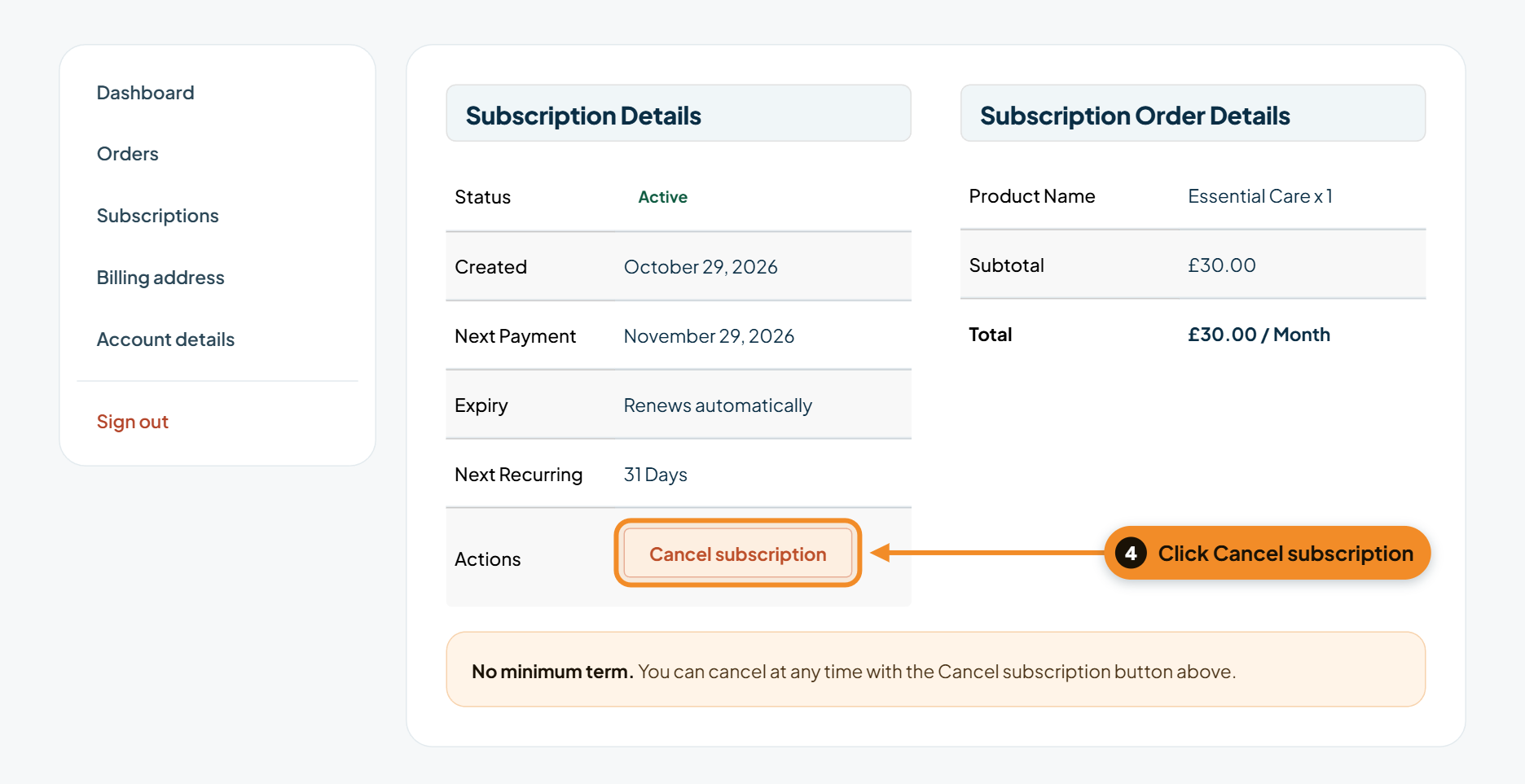
Click Cancel subscription
In the Actions row, click Cancel subscription. Nothing is cancelled yet; you’ll be asked to confirm first.
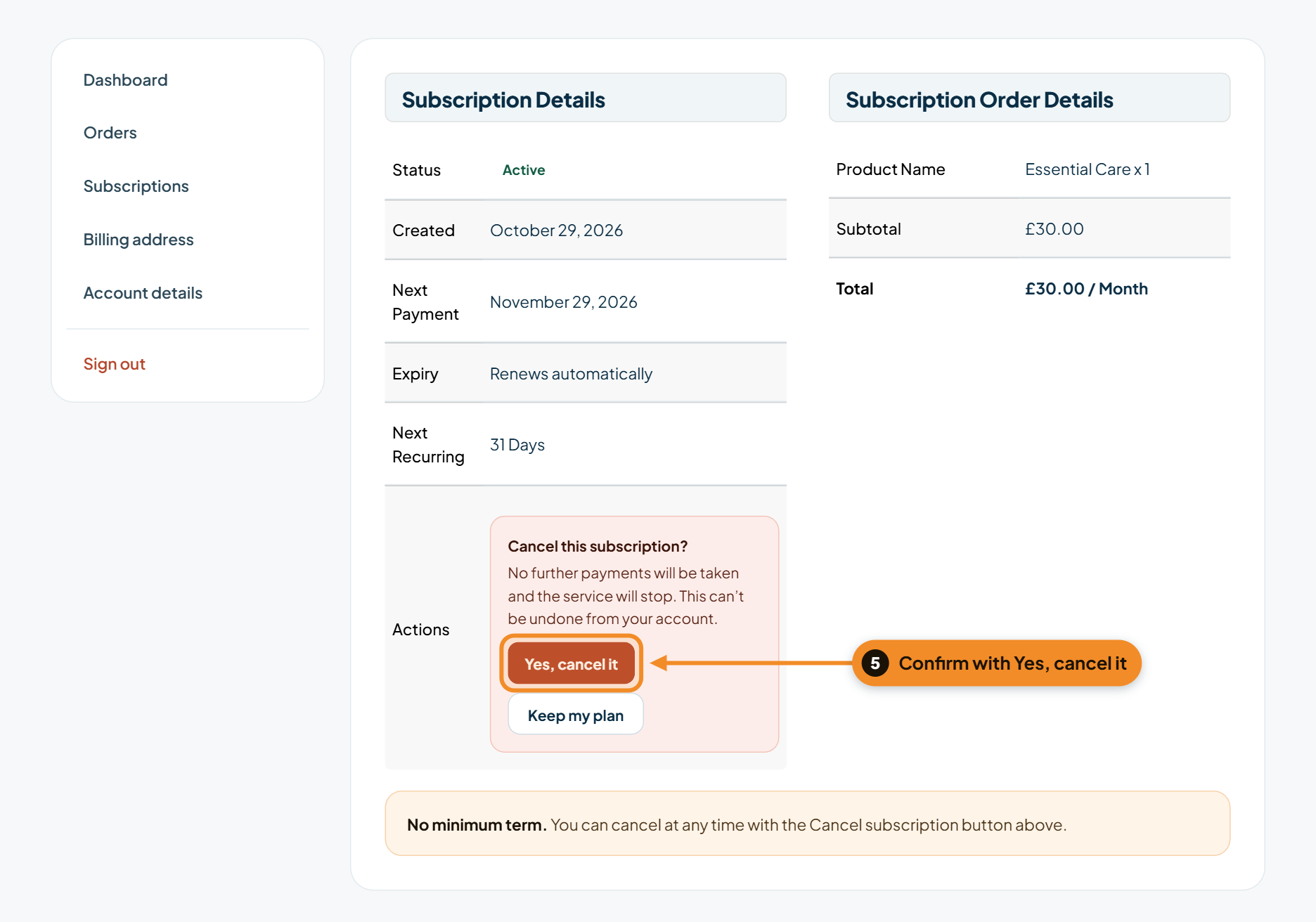
Confirm the cancellation
Read the message, then click Yes, cancel it. Changed your mind? Click Keep my plan and nothing changes.
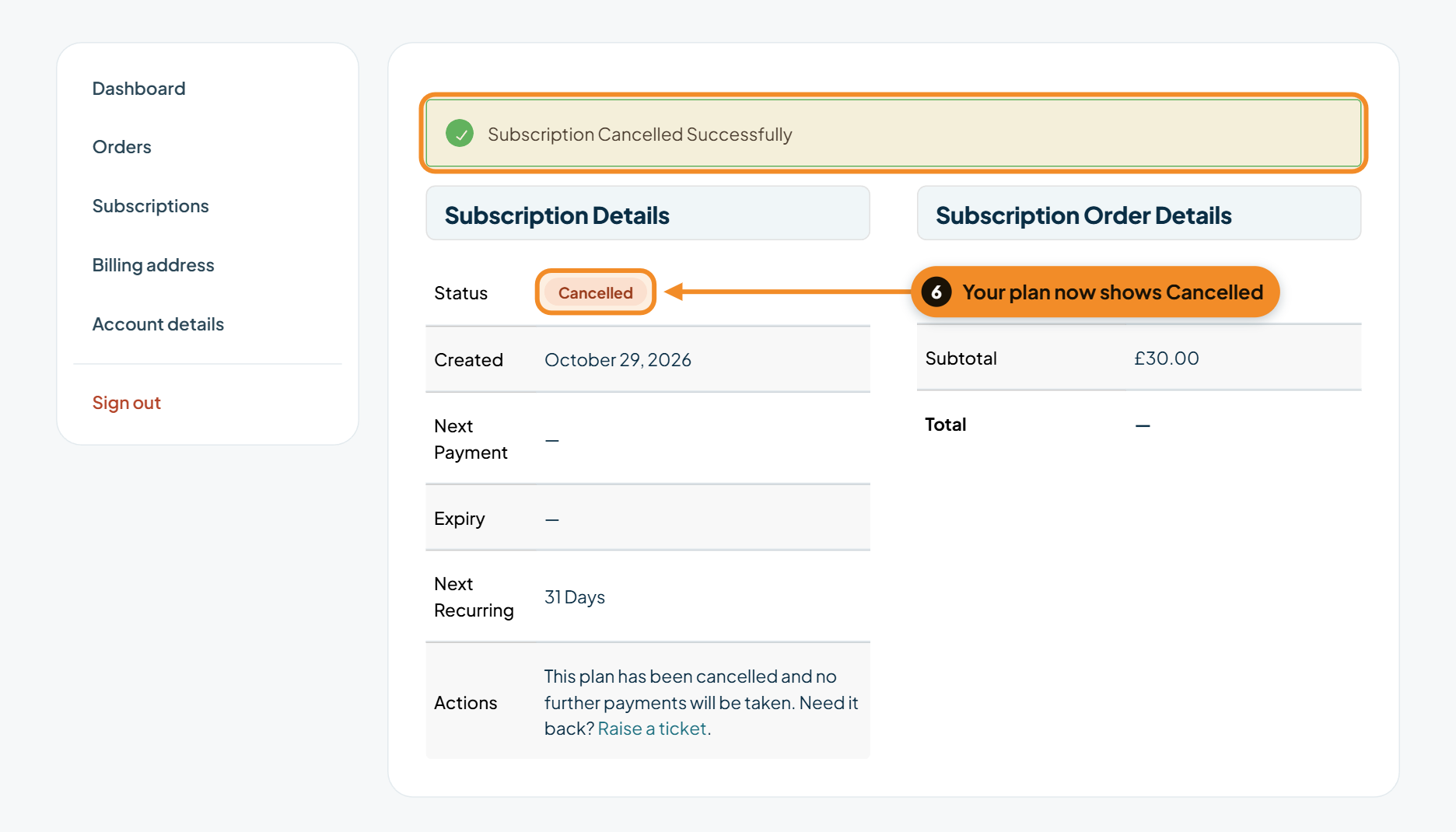
You’re done
You’ll see Subscription Cancelled Successfully, and the plan’s status changes to Cancelled. No further payments will be taken. Your past orders and receipts stay in your account.
On Professional Care?
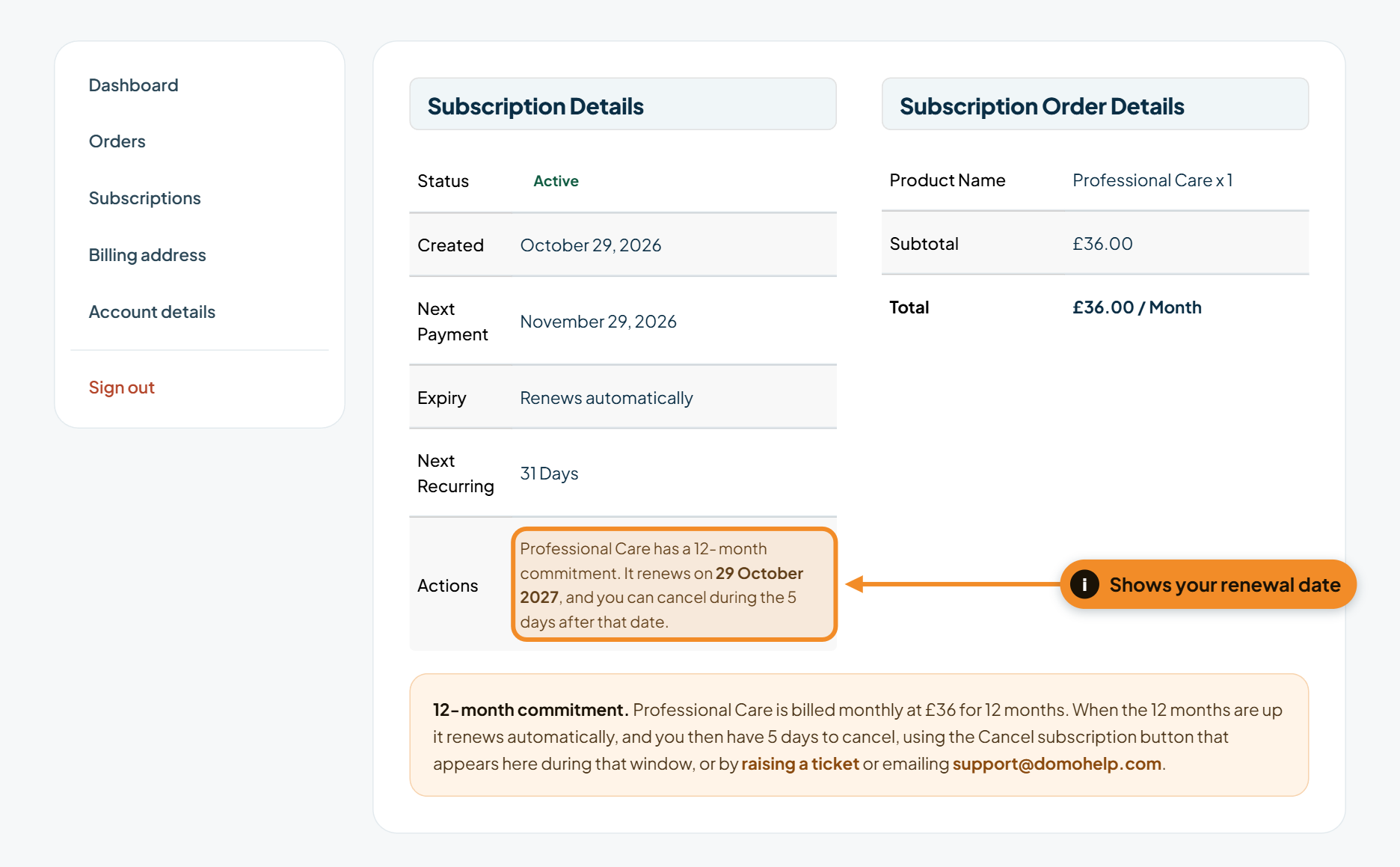
Professional Care is a 12-month commitment, so there’s no Cancel button during the 12 months. Instead, your plan shows the date it renews. When the 12 months are up it renews automatically, and for the 5 days after the renewal date a Cancel subscription button appears here, so you can follow steps 4 to 6. The renewal payment already taken isn’t refunded.
Got a problem right now?
Tell us what's happening and we'll pick it up.